Haryana local bodies (ULB) give you an option to check your application status for the NDC (No Dues certificate) and property ID application through their online portal. This is a government web portal property.ulbharyana.gov.in, which was launched to give a facility for the local person who does not want to visit any government officer to check their application progress. With the help of this online portal, user can easily check their application, and there is no need to visit the municipal office.
ULB Haryana Application Status
Permanent residents of Haryana can now apply for a new property ID, No Dues Certificate or want to submit any other property-related application in Haryana, then you need an application number. With the help of this application number, you can check the real-time status on the online portal. This is a very good initiative started by the Haryana government, in which they will give benefits to the general public related to their property.
Sometimes applicants don’t know the status of their application, and they have to visit number of times to the municipal corporation office. This process is very hectic and time-consuming for a normal middle-class person. Now the Haryana government observe this issue and they are now doing this process online.
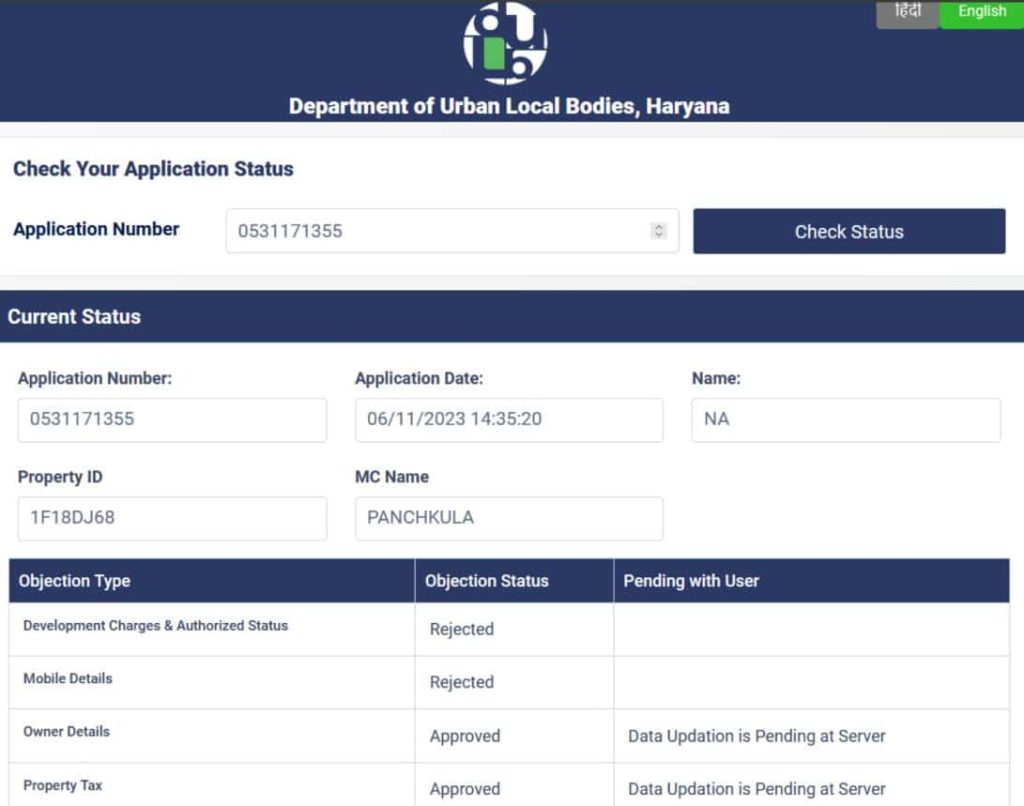
Now the applicants can easily check their ULB Haryana application status with details like application date, property ID, applicant name, objection status and rejection remarks if any. In case of approval, the simple approval status will be seen on your screen.
How to Check ULB Haryana NDC and Property ID Application Status?
Haryana urban local bodies process to check their application status for no dues certificate and property ID, then the complete process will be initiated through the official website property.ulbharyana.gov.in. We explain the complete step-by-step process so anyone can easily check it.
In your mobile phone or computer, open any internet browser and then enter the official website property.ulbharyana.gov.in.
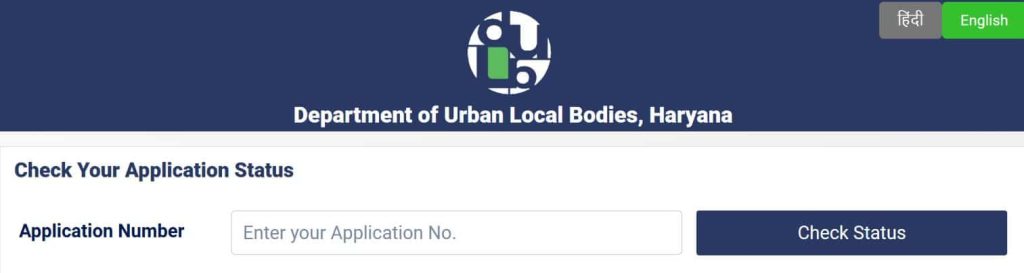
This is the Haryana government urban local body official website. When you reach on the home page then you will see a check application status section.
When you choose the status section then a new page will open in your browser.
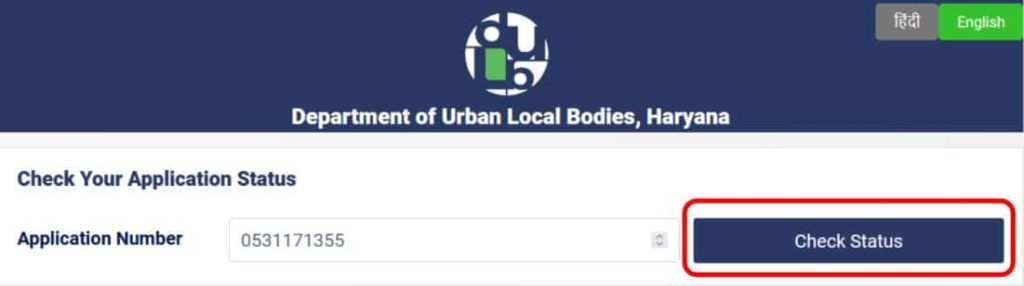
Now you have to enter your application number in the search box and then click on the check status button.
Now, within a few seconds, the application status will be displayed.
In the application status, the current status will be displayed with the following details.
Application Number
Application Date
Name of the applicant
Property ID
Municipal corporation name
In case your application has any objections, then the objection status is also displayed on your screen with pending details.
Any user who needs a printout then press Ctrl+P for the print application status.
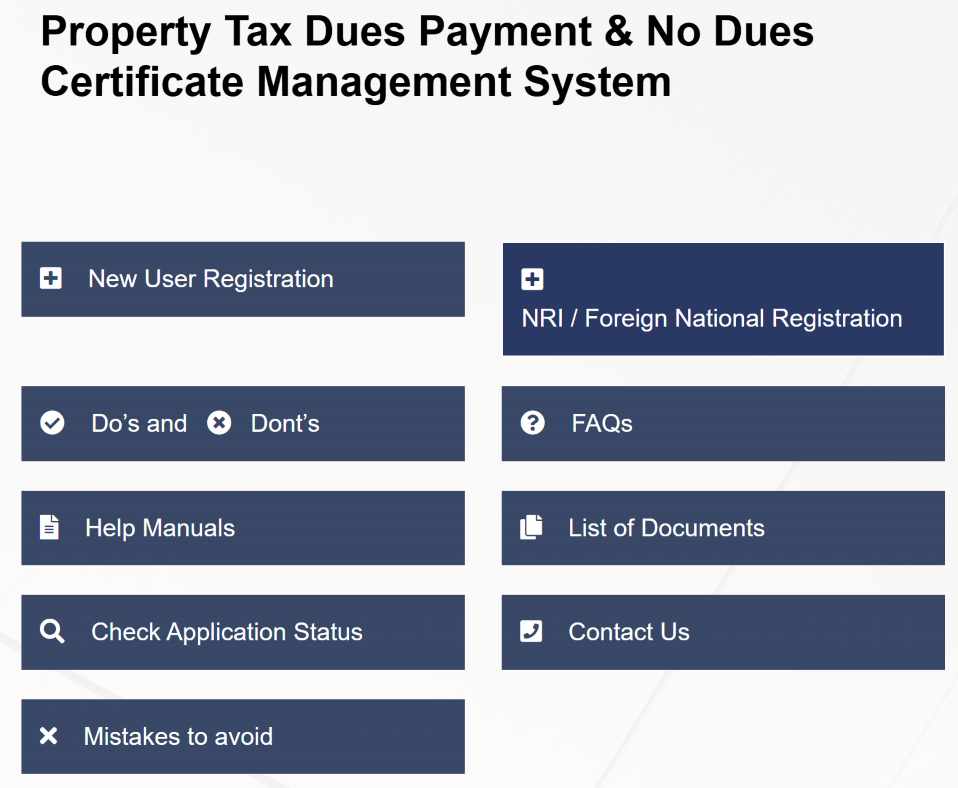
The Haryana government developed this portal specially for the property tax dues and a no dues certificate. In this one portal, you will get various types of facilities like new user registration, NRI and foreign national registration, complete help manuals, different types of documents for different processes and information about what type of mistakes you have to avoid. Now you do not have to ask any official person what type of documents are required at the time of registration.
With the help of these manuals that are available on the website, you can easily complete your various processes. In case any user faces any type of difficulty, at the time of checking application status, our comment box is open for you.